

Open a Game
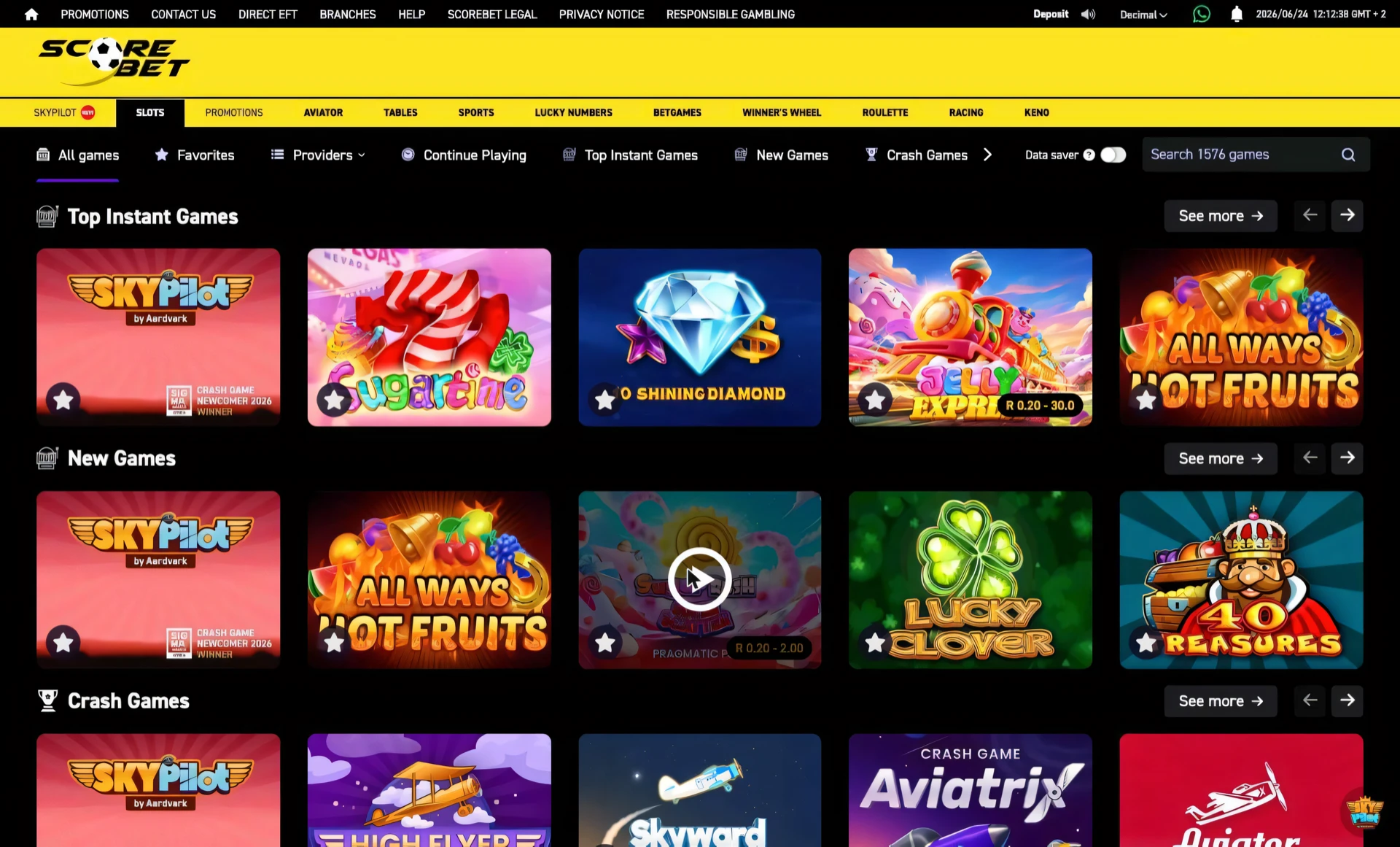
Opening a slot on Scorebet is deliberately simple: hover a tile, click the play button that appears in its centre, and the game loads in a player view on the same page. Loading is quick, typically two to five seconds depending on your connection, and on a game’s very first launch you’ll see a one-off SOUND toggle and a play screen before the reels — set the audio how you like it and start. After that first time, opening the same game drops you straight in.
The detail worth knowing is Back To List in the top bar. Rather than reloading the whole lobby, it returns you to exactly where you were and scrolls back to the tile you came from, so dipping into a game for a few spins never costs you your place in the grid. That makes it easy to sample several titles in a sitting without losing track. Pick your title from Top Instant Games or search first, then launch.
Once the game is open and loaded, the next step is reading the controls on the reels — that’s covered in playing a slot.
Place it on Scorebet, step by step
- 1Find a game
Browse the lobby or use search to find a game. The Providers filter and the Top Instant Games tab work too.
- 2Hover the tile
Move your cursor over a thumbnail. A large circular play button appears in the centre, showing the game is ready to launch.
- 3Click to launch
Click the play button. The game loads — a brief loading screen of around two to five seconds may appear depending on your connection. On first load, a SOUND toggle and a large play button appear: set sound on or off, then start.
- 4Return to the lobby
Once you're playing, click Back To List in the top bar to return to your previous lobby view without losing your session.
Back To List keeps your place. It returns you to exactly where you were in the lobby and scrolls back to the tile you launched from, so a quick game doesn't cost you your spot.
The sound prompt is a one-off. The SOUND toggle and play screen only show on a game's first launch, so later openings drop you straight onto the reels.
Frequently asked
How do you launch a slot game on Scorebet?
Hover over a game tile and a circular play button appears in the centre. Click it and the game loads in a player view on the same page, usually in two to five seconds. On first launch a sound prompt may appear before the reels.
How do you get back to the lobby from a slot?
Click Back To List in the top bar above the game. It returns you to your previous lobby view with the session preserved, and the page scrolls back to the tile you launched from so you don't lose your place.
Why does a game load faster the second time you open it?
On the first launch your browser downloads the game's assets — the graphics, sounds and engine — which is what the two-to-five-second loading screen covers. Those files are then cached, so opening the same slot again pulls them from your device rather than the network and drops you almost straight onto the reels. It's also why the one-off SOUND prompt only shows the first time; the game remembers your choice for that session.
Does using Back To List instead of closing the game keep you logged in and your balance live?
Yes — Back To List moves you within the same lobby session, so your login, your wallet and where you were in the grid all stay intact, which is what lets you sample several titles in a sitting without re-launching. Fully closing or reloading the page instead can drop the in-game view and make you reload the lobby from scratch. For dipping in and out of games quickly, the in-app back link is the route that preserves your place and your session.